
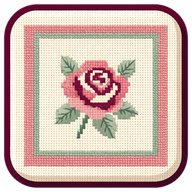

1 Pick a picture
From your photos, straight off the camera, or drawn by hand in the app. The picture is kept at full quality behind the chart, so reworking the design later never costs you detail.
Android first · iPhone and iPad soon after

An image in, a chart you can actually stitch out. Take a picture or upload an image. Then choose your cloth, number of colors, and desired project size. Basic mode will take care of the rest, while advanced options including freehand tools are always available. Tick off your progress as you go, or export the pattern to your favorite stitch tracking app.

The whole idea
Cross Count is built end to end for the person holding the needle. Upload an image, take a picture, or freehand draw your design. Cross Count then picks from the 489 real DMC shades, works the grid out from your finished size and your cloth count, costs the skeins, and then turns the chart into a stitching view that ticks squares off as you go. Everything happens on your phone, and it saves itself.
From your photos, straight off the camera, or drawn by hand in the app. The picture is kept at full quality behind the chart, so reworking the design later never costs you detail.
How wide, how tall, and the count of the cloth in your drawer. That’s it, Cross Count calculates the rest.

The frame is your cloth, stitch for stitch, and the picture moves under it: drag to place, pinch to zoom.

Choose how many colors, adjust the light, decrease or increase lone stitches. Everything instantly redraws as you adjust the sliders. Then Open the chart, and from there it saves itself.

See it happen
Drag the handle to see real image inputs and resulting Cross Count outputs.


 One thread at a time
Say which thread is in your needle and the chart highlights only that color.
 Tick squares off
After choosing your thread color, drag a rectangle from any corner to check off your progress. A finished square goes green and gets an individual tick mark. Every gesture can be undone.
 Row by row
For stitchers who work across rather than by color. Row done ticks the whole row off and moves the band down one.
 Find the next stitch
Your progress is always auto-saved, ready for next time.
 Photos & notes
An album accompanies each project. Every photo is stamped with the date and how far along the piece was, and the last one becomes the cover when you finish.

Real thread
For each shade: the DMC number and its real name, the symbol it uses, how many stitches it covers, what share of the piece that is, how many skeins to buy, and how much of one you will actually get through.
Say how many strands you stitch with, or let the cloth decide, and add 10, 15 or 20 percent spare before you shop. Copy this list puts the whole thing on your clipboard as plain text.
Fit to your cloth
Basic mode offers the five counts that between them cover every ordinary project: 11, 14, 16 and 18 count Aida, and 28 count over two. Advanced mode opens even more options:
The color of the cloth matters too: a square that already matches your fabric can be left bare, and the chart is drawn on the cloth you chose.

How much do you want to see?
One switch in Settings. Basic mode walks you through all the steps and provides adjustable default settings. Advanced mode lets you draw an image from scratch and offers more complex modifications.
Basic
Import a picture, fit it to your cloth, a few sliders, and a chart to stitch from. Ticking stitches off, finding your place, progress photos: all there.
Advanced
The hand tools, drawing from scratch, the full set of picture and stitching settings, and notes on a piece.
Switch whenever you like, in either direction. And if an Advanced setting is moved off its default, Basic still shows it: you are never looking at a chart shaped by a dial you cannot see.


By hand
In advanced mode, every design is fully editable, with the tools where you can easily see them.
Tap or drag to paint in the chosen floss, freehand or in straight lines.
Drag corner to corner for outlines, whiskers and lettering. Carries through to the exports and the thread list.

Tap a painted square or a backstitch line to remove it. The undo option is always available.
One tap lays black backstitch around the subject, or around every color, your choice.
Start from a blank canvas instead of a photo: your drawing goes through the same conversion a picture would.
The floss picker searches by number or by name, and shows the shades already in your chart first.


Countable
Colors, symbols, and grid lines can each be switched on or off with one tap. Colors with the grid off is the finished piece. Printed patterns use black and white symbols that still read as the picture because the darkest threads carry the heaviest marks.
Take it away
Export has its own screen: preview every page, then save to your phone and/or print.
Sheets of 50 by 60 squares with three squares repeated on every join, so a taped-together chart lines up. Plus the whole chart on one page and the thread list.
Save as a PDF, an image file, or a PDF fully compatible with Pattern Keeper, if that’s your preferred project tracking app.
Back up all projects writes the whole library to one .ccbackup, which restores onto a new phone. No need for accounts, passwords, or annual memberships.


Why another one
Before writing a line of it we read hundreds of reviews of the other charting apps. Cross Count is built against that list.
“I’d been working on it for almost a week and it was almost done. It never autosaved. All my progress is gone.”
It saves itself. Every change is written to the phone a few seconds after you make it, and again the moment you leave a screen. There is no Save button to forget, and one file backs the whole library up.
“How do you start a new project? I can’t close the image I’m working on. Getting frustrated.”
Five tabs, always in view. Home starts one, a card opens one, a tab takes you back. Every feature has a button you can see, not a gesture you have to be told about.
“I’m not sure what cell size is. The higher the cell size the smaller the chart gets. I don’t get what a cell is I guess.”
You never meet a cell. You say how wide and how tall the finished piece should be, in inches, and which count of cloth you have. The stitch grid is arithmetic from there, and the app shows you the sum.
“When you want a new color, the most recent stitches change to the new color instead.”
A new color applies going forward, never backwards. Nothing you have already placed changes when you pick a different thread, and an automated test checks exactly that on every build.
“I exported the chart and the ten-line grid wasn’t there. And the symbols didn’t match the color key.”
One renderer draws everything. The chart on screen, the stitching view and every exported page are the same drawing code, so a symbol, a rule or a backstitch cannot show up in one and go missing from another.
“The backstitch feature is a pain.” · “It doesn’t track backstitch — it won’t be on the finished PDF.”
Backstitch is a real tool. Drag corner to corner and it snaps to the holes in the fabric. It appears on the chart, in the stitching view, on the exports and as its own rows in the thread list.
“Please update the floss charts — it’s using DMC colors that have been discontinued.” · “Their colors don’t match the real DMC.”
All 489 current DMC stranded cottons, matched in a color space built around how eyes see difference, so the thread the app picks is the one that looks closest to you.
“Only 250×250.” · “Limited symbol options, which restricts it for larger designs.”
Pieces up to 24 inches a side, and 67 distinct symbols, drawn as shapes rather than font glyphs so they stay crisp at print size instead of collapsing into identical little boxes.
“…and then they built a separate paid app instead of updating the one I bought.”
No subscription, no in-app purchases, no ads, no account. If we build something better, it is an update to this app, not a sequel.
The whole app
Every fabric, every shade, every tool and both modes are in the one app. One price, once, and never a subscription.
$8.99one payment, no subscription
Android first · iPhone and iPad soon after · coming soon
Deliberately. Not toggles in a menu — things the app simply cannot do.
Before you ask
Yes. You give it the finished width and height, and the count of the cloth in your drawer. Cross Count works out the rest.
Between 4 and 60, and you choose. They are picked from the 489 real DMC shades, and no two threads in one chart sit closer together than the eye can separate.
Bold shapes, clear edges and a subject that fills the frame. A busy background converts too, but gravel, foliage and brickwork are where lone stitches come from, so place the cloth tight on your subject in step three. Faces are the hardest thing in cross stitch generally: one wants about a hundred stitches across to be recognizable.
They are as accurate as anyone’s. DMC has never released screen values for its floss, and the published tables disagree with each other. Cross Count matches in a color space built around how eyes see difference, which is the right one for “looks closest to a person”, but you should still check a real shade card before buying thread.
Yes, in Advanced. Paint a square in any thread, lay backstitch corner to corner or in straight runs, erase squares or lines, and undo any of it. There is also an “Outline it for me” button that lays black backstitch around the subject in one step.
A design is the chart you can still change: it keeps your picture at full quality, and every slider and every hand edit is live. Stitch it turns it into a work: the chart frozen, with your ticked-off squares, your row, dated progress photos and notes on top. A work never re-converts, so nothing shifts under you mid-piece. To change the chart, go back to the design and stitch it again.
Yes. The chart tiles across sheets fifty squares by sixty, with three squares repeated on every join so nothing falls down the crack between two pages. Save it as one PDF, as images with the thread list as a text file beside them, or as a Pattern Keeper PDF. If the picture sits in a plain background, a switch trims the blank cloth off and saves sheets.
Not yet. Fractional stitches coming soon!
In Settings, Back up all projects writes every design and every piece, pictures, progress, and photos, to one .ccbackup file, which can be copied and saved to any phone or computer. Restore from a backup on a new phone repopulates all your work.
No. The conversion runs on the phone and the app asks for no internet permission at all, so nothing is ever sent to us. It does ask for the camera and your photo library, because choosing or taking a picture is the first thing it does. Android’s own backup can include the app, and your projects live inside it, which you can turn off in Android’s settings.
Android 7.0 and up, in portrait, with iPhone and iPad after the Android release. Large text is a switch in Settings, and it scales the whole app rather than only the labels.
A picture in, a chart you can actually stitch out.
Tell me when it’s outAndroid first, iPhone and iPad soon after · no subscription, no ads
Questions, or something to say? Write to anna@fiddlemint.com — a real person reads every one. Cross Count is currently in testing; send a note and you’ll hear the day it comes out.
Made by a solo dev who got tired of losing charts
DMC is a trademark of DMC Corporation; Cross Count is not affiliated with or endorsed by DMC, and floss colors on screen are approximations. Pattern Keeper is a trademark of its owner and is not affiliated with Cross Count.